How to check your bowling rev rate
Your rev rate is how fast your bowling ball spins when it leaves your hand. Advanced Bowling Tracker can estimate it from one video of a throw, in about a minute, with nothing to attach to the ball.
What is rev rate?
Your Rev rate is how fast your bowling ball spins when it leaves your hand, typically measured in revolutions per minute. For example, my rev rate is around 350 RPMs with my typical release.
Your rev rate is just one aspect of your bowling game, but it helps determine how much your ball hooks, which balls might best suit your game, and how your ball should be drilled. You can estimate it with tape and a slow motion video, or you can record your shots on your phone or tablet and let Advanced Bowling Tracker estimate your revs.
Why does Rev Rate matter?
Rev rate is the number of full rotations the ball would make in one minute if it kept spinning at the rate it came off your hand(s). A ball spinning at 350 RPM turns almost six times a second.
The number matters because revs are the biggest factor in terms of what makes your ball hook. The ball skids through the oil at the front of the lane, starts to grip as the oil runs out, and the spin turns that grip into a change of direction. More revs means more hook, a stronger back end, and more energy going into the pins. Fewer revs means a straighter, more predictable ball.
Revs on their own tell part of the story. Ball speed is another key factor. A bowler with 350 RPM at 14 mph and a bowler with 350 RPM at 19 mph will get different ball motion and pin action. Pro shop staff and high level bowlers may often talk about "matching" speed and revs, and knowing your rev rate is the first step.
Typical rev rates by style
Bowlers typically sort into three styles or categories by rev rate. The numbers below are the ones you will hear in a pro shop or read on a coaching site. They are general, they vary by source, and the app does not put you in a category. Use them to see roughly where you sit.
| Style | Rev rate | What it looks like |
|---|---|---|
| Stroker | Under about 300 RPM | Smooth, lower revs, relies on accuracy and a clean release |
| Tweener | About 300 to 370 RPM | Moderate revs, the widest group of league bowlers |
| Cranker | About 370 RPM and up | High revs, often two handed or with a strong wrist cup |
Ranges vary by source. Many casual and league bowlers sit between 200 and 350 RPM. Speed matters as much as revs: the two have to match.
If you've never measured before, you can expect something in the 200 RPM to 350 RPM range. Two handed bowlers and young bowlers who learned with a modern release often land higher. Pros tend to top out in the 500 RPM range. EJ Tackett's rev rate approaches 575 RPMs.
Why figure out your Rev Rate?
The practical reasons:
- Buying a ball. A high rev bowler on a house pattern usually wants a weaker ball or a pearl cover, because a strong ball will hook too early. A low rev bowler may want the opposite. Knowing your revs helps inform your ball choices.
- Drilling a ball. Your pro shop uses rev rate and speed to pick a layout. Guessing here costs you a ball you never throw well.
- Tracking progress. Everyone's rev rate varies, but if you are working on your release or approach you track your rev rate over time to see how much it might fluctuate.
- Choosing a spare ball. Bowlers with high revs tend to have a harder time throwing a reactive ball straight at spares, which is why the spare systems in the app assume a straight ball.
Traditional Rev Rate calculation techniques
The traditional method works, and it is worth understanding because the app does the same thing with software.
- Put a strip of white tape on the ball from the fingers around toward the thumb, roughly along the track.
- Have a friend film your throw from behind at 60 fps or in slow motion.
- Step through the video and count how many frames it takes for the tape to make one full rotation.
- Divide the frame rate by that count, then multiply by 60. At 60 fps, a rotation every ten frames is 360 RPM.
It takes a few tries to get a clean count, and the number you get depends on which part of the ball's travel you count over. Most people count in the first few feet after release, because the ball spins up as it goes down the lane.
Measuring it with the app
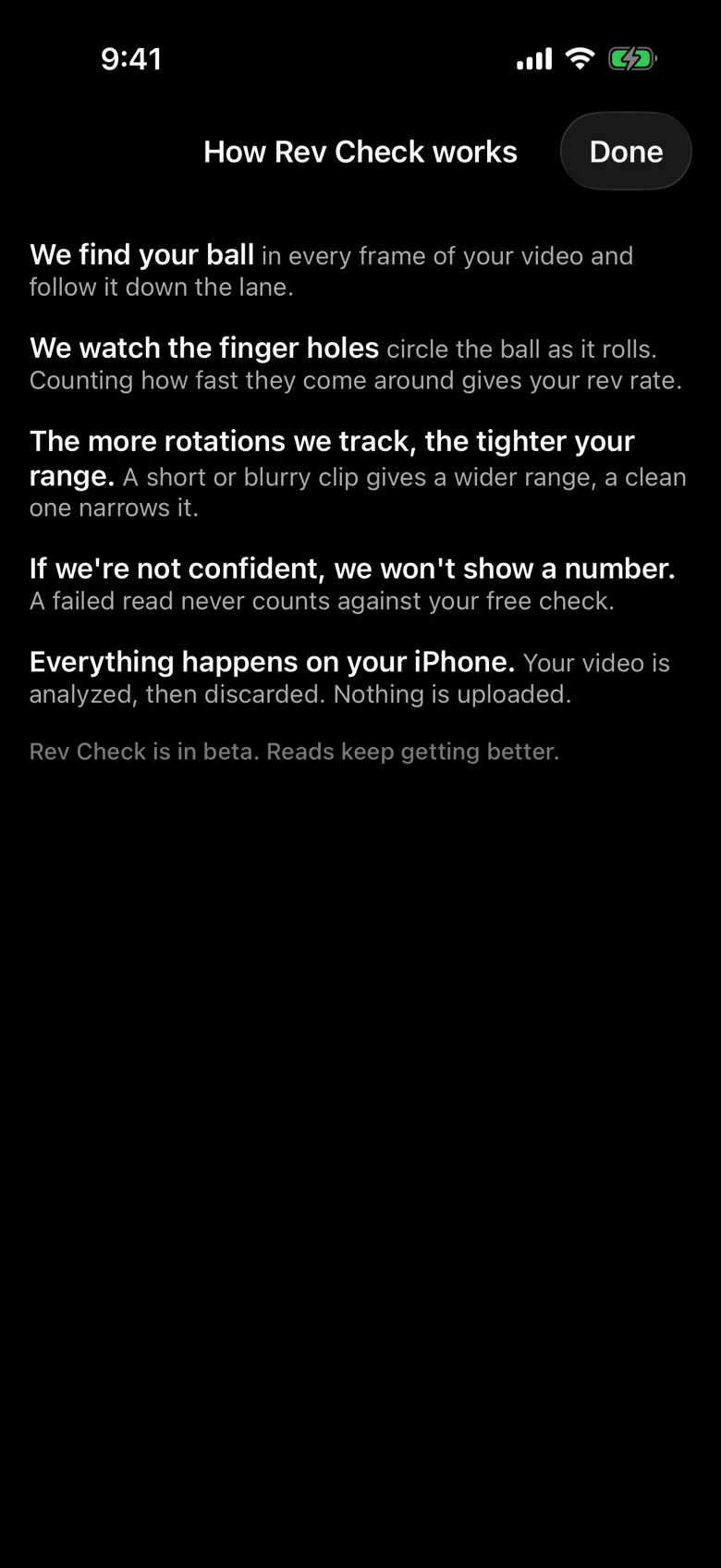
Rev Check in Advanced Bowling Tracker measures the same thing from one video, without tape, by using the finger holes as the marker. The app finds the ball in every frame, follows it down the lane, watches the holes circle the ball, and counts how fast they come around. It reports the rev rate at release. Everything happens on your phone and the video is discarded after analysis. Nothing is uploaded.
It is in beta, it is on iOS today with Android soon to follow, and it is free to use without limits while the beta runs. You need to be signed in to the app.
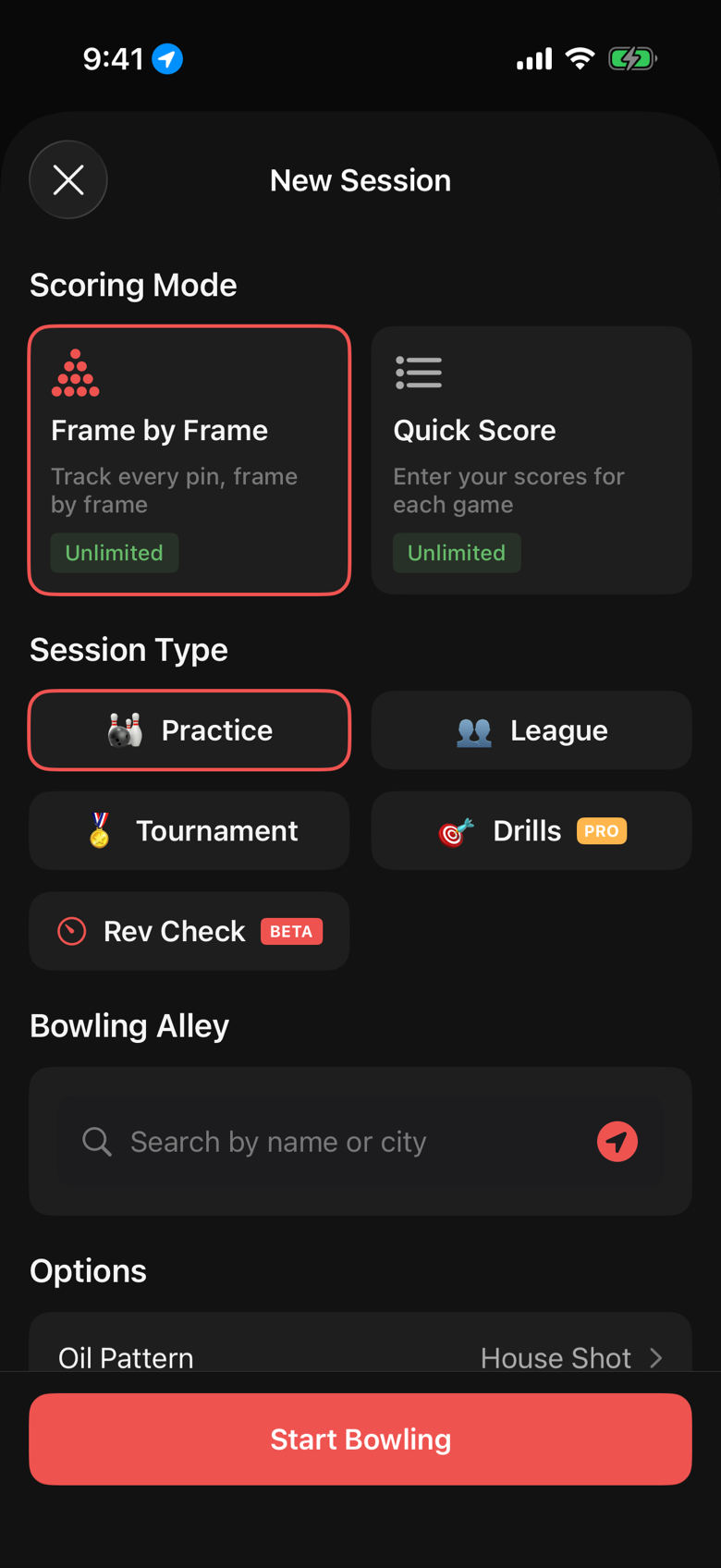
- Set up the camera. Put the phone behind you at about chest height, on a tripod if you have one, with the whole lane in frame. Switch the camera to 60 fps if it is not already.
- Open Rev Check. Tap the Bowl button, then the Rev Check card in the session type grid. There is also a Check Your Rev Rate card on the home screen until you have saved your first check.
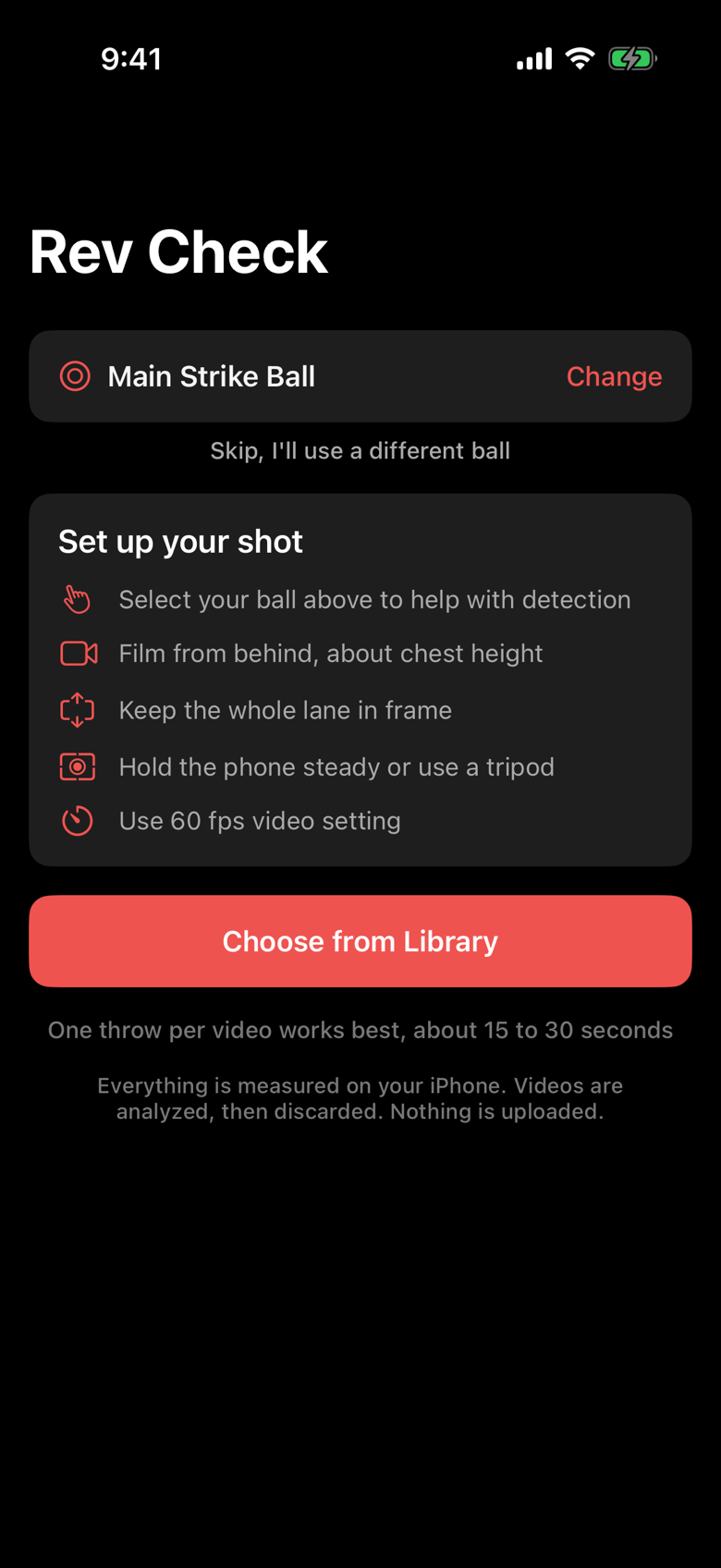
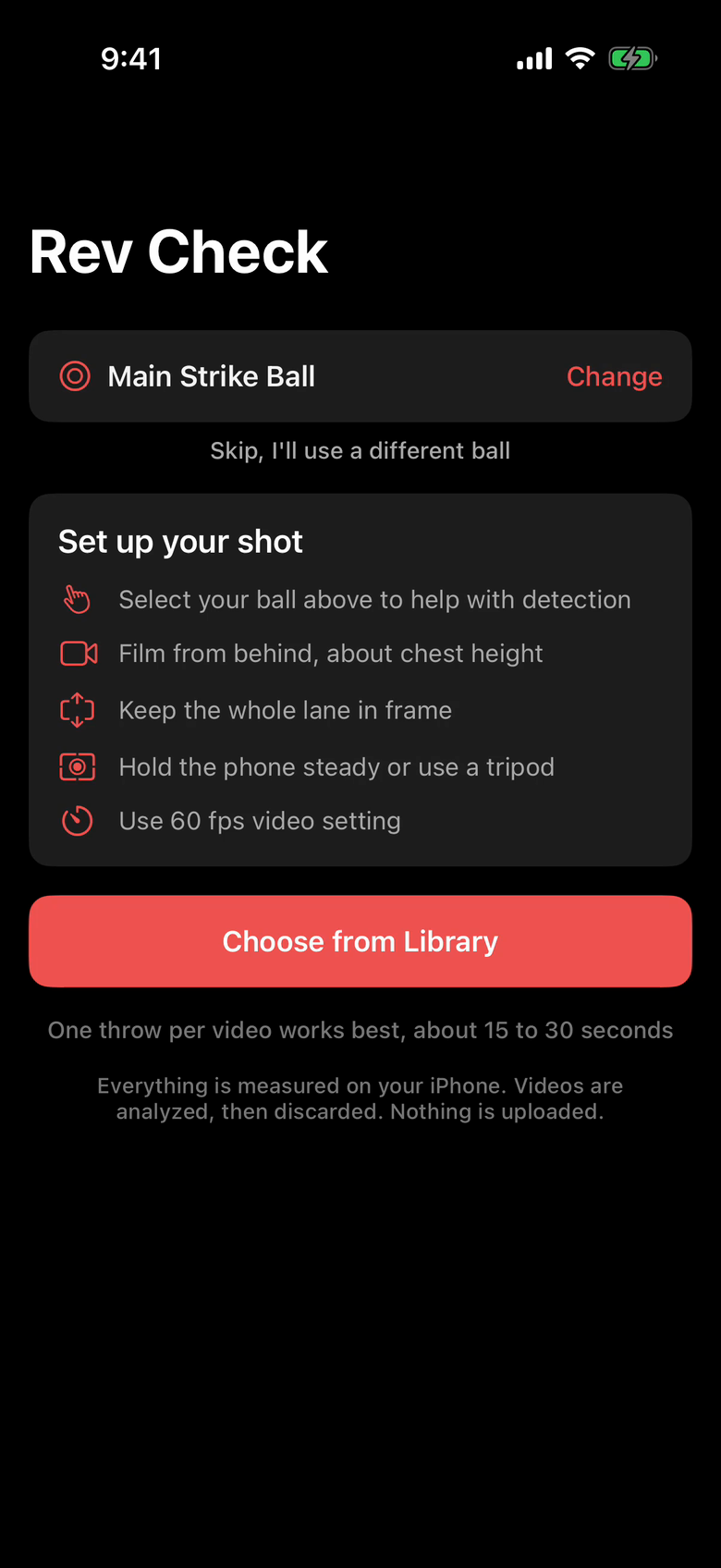
- Select your ball. The app lists the balls in your bag. Picking one helps detection. You can skip it if you are using a ball you have not added.
- Record or import a video. Tap Record Video to film in the app, or Choose from Library to use a clip you already have. One throw per video works best, around 15 to 30 seconds, and you can trim the clip before you confirm it.
- Wait for the result. The analysis typically takes less than a minute depending on a variety of factors.
- Read the result. You get a rev rate, a likely range, and a confidence level.
| Setup | Why |
|---|---|
| Select your ball in the app | Helps the app find the ball in the video |
| Film from behind, about chest height | Keeps the ball and the finger holes visible all the way down the lane |
| Keep the whole lane in frame | The app finds the throw by watching the ball travel |
| Hold the phone steady or use a tripod | A moving camera is the most common reason a video is refused |
| Use the 60 fps video setting | About ten frames per rotation at typical rev rates, enough to count |
Reading your result
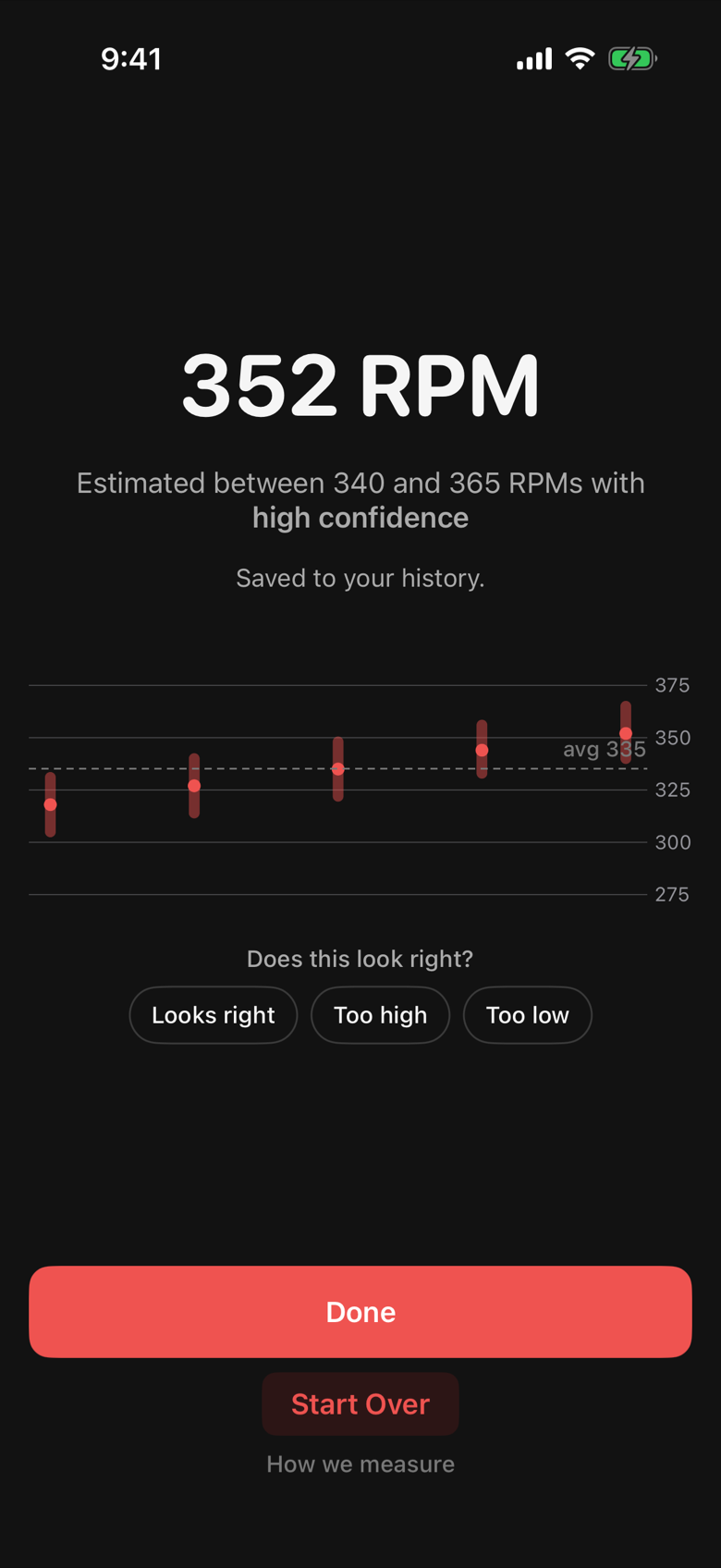
The big number is your rev rate at release. Under it, we report confidence level and estimated range. For example: "Estimated between 340 and 365 RPMs with high confidence".
A longer, sharper clip gives the app more rotations to count and a narrower range. A short or blurry clip gives a wider one. Medium confidence means the count was clean enough to trust but the app saw fewer rotations than it would like. If the app is not confident it does not show a number at all.
Once you have two or more checks, a trend chart appears under the result with each check's range and your average. Repeat the check with each ball in your bag and across a few sessions.
What to do when you know your rev rate
Take it to your pro shop with your ball speed. Tell them the number and that it was measured at release. It is the input they need for a layout and a cover choice.
Compare between balls. If your rev rate is meaningfully different between two balls, one of them might have fit issues.
Watch it over time if you are changing your release. A cupped wrist, a two handed swing, or a new thumb slug all show up here before they show up in your average.
When the app cannot read a video
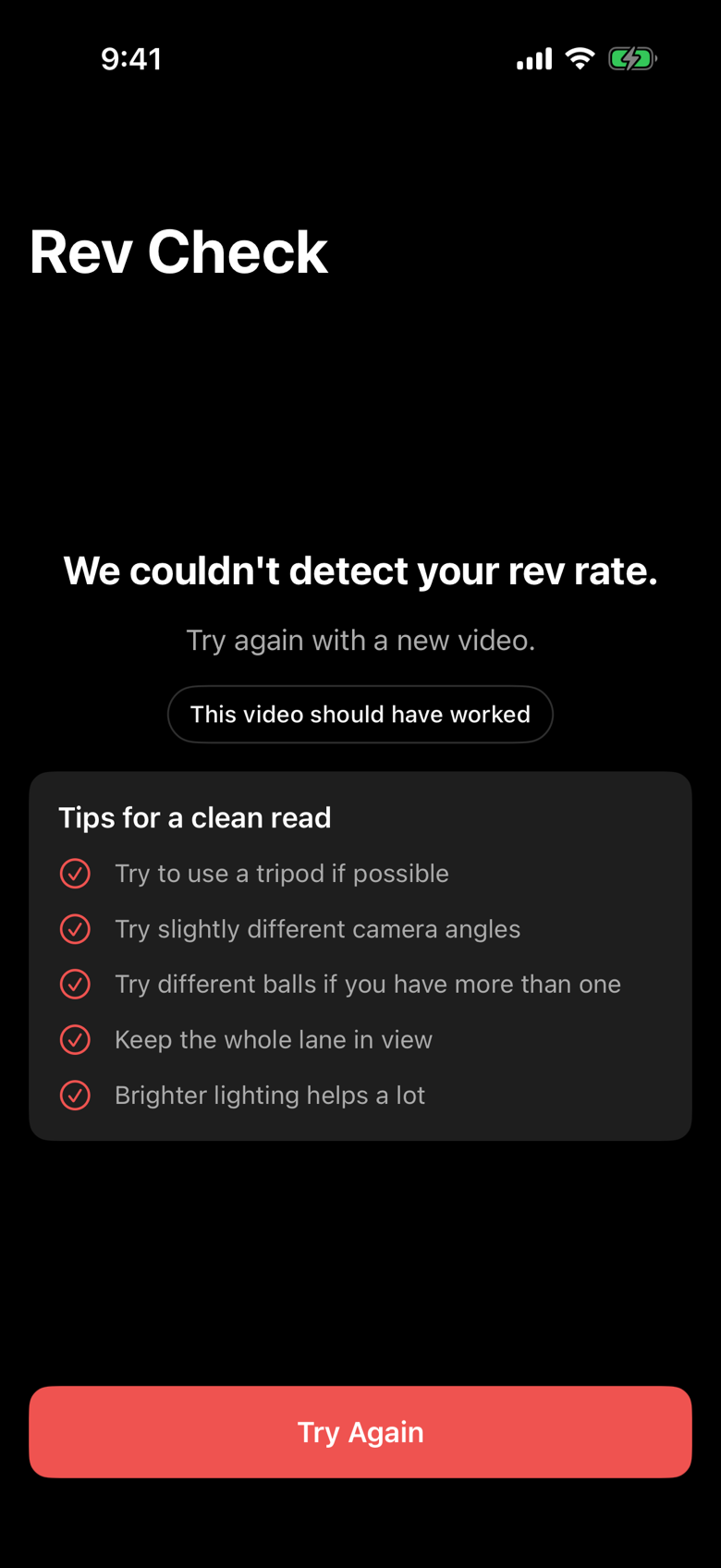
Sometimes the app cannot detect your rev rate. We've erred on the side of accuracy rather than very rough estimates. If you're struggling to get a read, consider these tips:
- Use a tripod. A handheld phone that drifts or walks is the most common reason for a refusal.
- Try a slightly different camera angle. Directly behind, a little higher, or a little lower.
- Try a different ball. Dark balls close to the color of the lane, and near black balls in general, are hard to track. A brighter or two tone ball reads better.
- Keep the whole lane in view.
- Find brighter lighting. A dim end of the house makes the holes hard to see.
A few more from testing: keep only one throw in the clip, avoid filming a rack of similar dark balls behind the lane, and if you film in slow motion on an iPhone, record inside the app. Slow motion clips imported from your library can arrive at 30 fps. Very high rev rates (above about 580 RPM) can read at half their true value.
Privacy
The video is analyzed on your phone and discarded. The app keeps the rev rate, the range, the date and the ball you picked. If your profile visibility is set to followers or public, saved checks post to your activity feed as a short card with the rev rate and range. Set visibility to Private in Settings and nothing is shared.
FAQ
Is Rev Check free?
Yes, without limits while it is in beta. The home screen card says "Unlimited during beta testing". That may change when the beta ends.
Does it work on Android?
Not yet. Rev Check is on iOS now and the Android app is coming soon.
Does it measure ball speed too?
Not currently. Future revisions of the feature will also calculate ball speed.
How accurate is it?
On the validation clips used to build it, the app's reading lands within a few RPM of a manual frame count. The range on the result screen is the app's own estimate of the uncertainty for that clip. When the range is wide, film again with a steadier camera and a cleaner background.
Do I need tape on the ball?
No. The finger holes do the job. Nothing on the ball, nothing to mark on the screen, no trimming beyond the clip you choose.
Where does the number get saved?
In your history in the app, with the trend chart on the result screen. It also syncs to your account so it follows you to a new phone.