Why track your bowling scores?
Most league bowlers focus on their average and pay less attention to the data behind the scores. Your scores tell you how you did but not how you got there. Tracking your scores shot by shot is the best way to understand your game at a deeper level and where you can focus your efforts to improve.
What can you learn from tracking your shots
Your average moves slowly over time and progress is rarely linear. Frame by frame stats captures much more information per game than just your score.
A few things your final score won't tell you:
- Your spare conversion, overall and by leave.
- Your first ball average and how often you hit the pocket.
- Which ball you score your best with.
What you can track when you bowl
Here are some attributes you can track:
- Every frame, including which pins were left on the first ball.
- The ball you threw each frame and game
- What format you were bowling: league, practice or tournament.
- The alley and lane(s).
- The oil pattern, particularly if you are bowling a tournament or sport shot league.
- Any notes about each game or session that you want to remember.
How to record your progress
The most analog way would be to write it down in a notebook. You could use grid paper and print out custom sheets with each frame. Many people prefer this route to using any technology.
Some bowlers like to use a spreadsheet like Google Sheets or Excel, which can help you track your average over time or anything else that you are recording. But it is manual and time consuming depending on how many details you are tracking.
Using an app like Advanced Bowling Tracker is another popular way to track your progress. Using an app, you can track either frame by frame or game scores and the app will adapt. The app can log your location and the ball(s) you've used each session, along with notes and other details such as lane number.
Whichever method you choose, the more you are mindful about your performance, the more likely you are to improve over time.
Start recording a game in Advanced Bowling Tracker
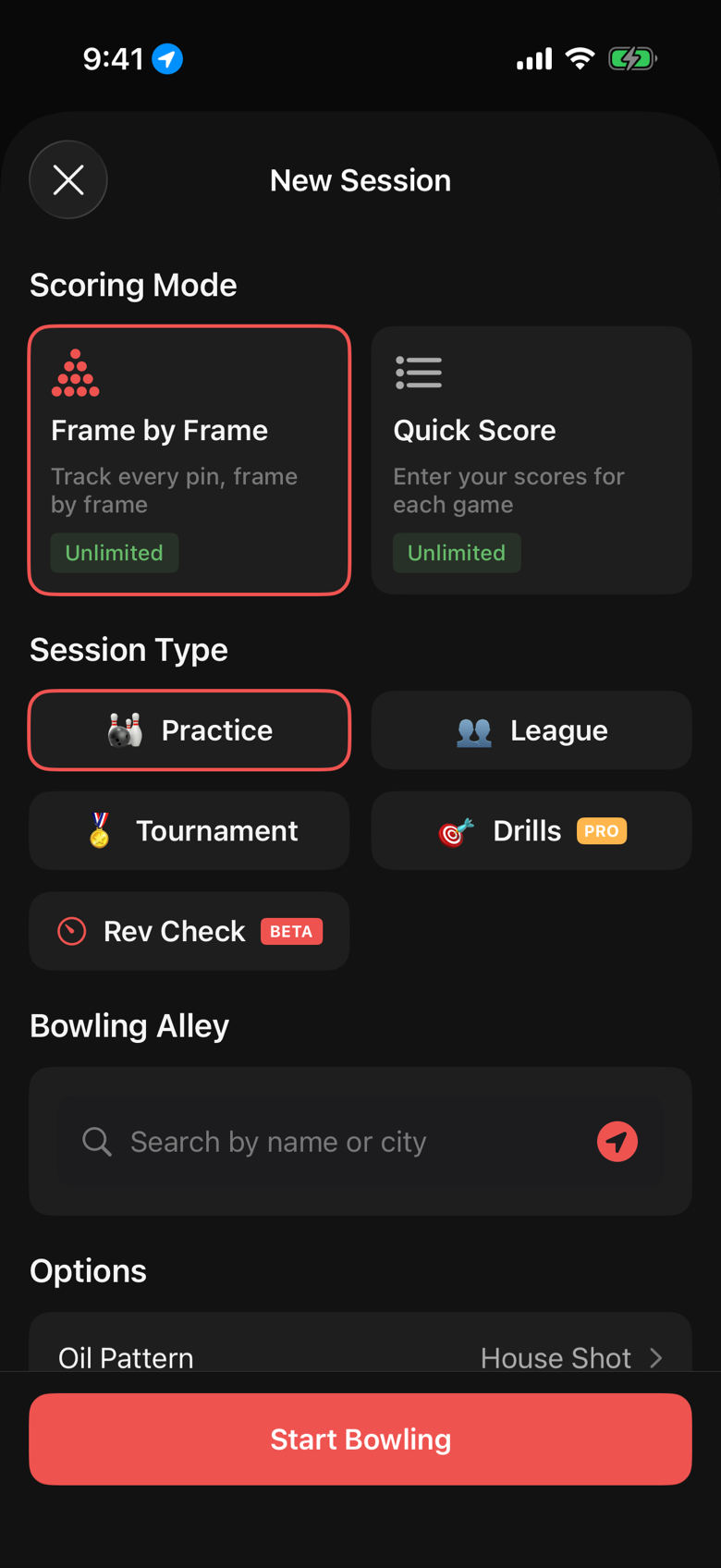
- First, tap the Bowl button to start a new session.
- Choose a scoring mode. Frame by Frame tracks every shot, and Quick Score tracks your scores for each game.
- Choose a session type: Practice, League, Tournament or Practice Drills.
- Setup any options. Cross Lane if you are on a pair, the lane number, the oil pattern if you know it, and 9-Pin No-Tap if that is the format tonight.
- Start Bowling and choose your strike ball.
How to record each shot
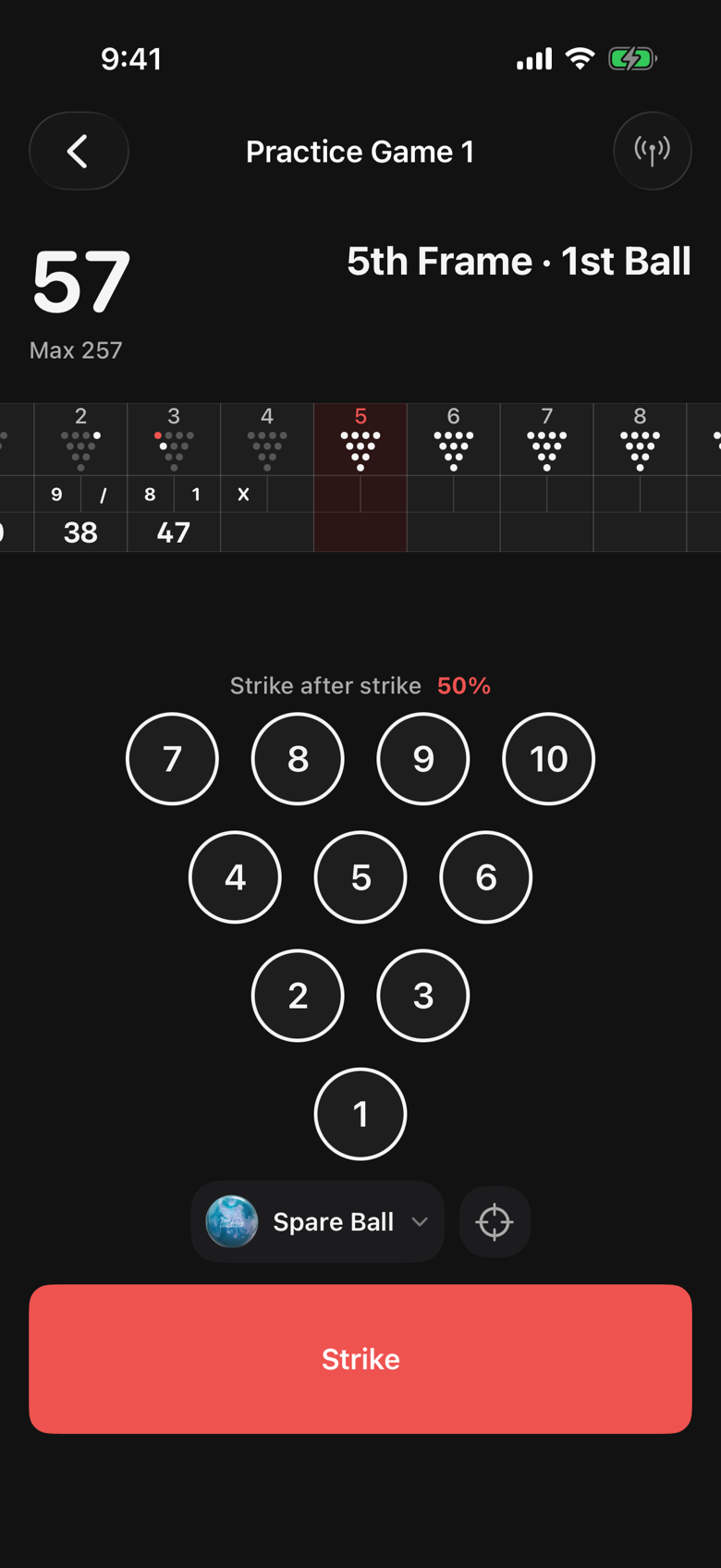
After your first shot:
- If you strike, simply tap the score recording button
- Otherwise, tap or swipe the pins that are still standing
After your second shot:
- If you make the spare and close the frame, tap the score recording button
- If you miss every pin, tap the miss button (it only appears on spare shots)
- Otherwise, tap the pins you missed and tap record
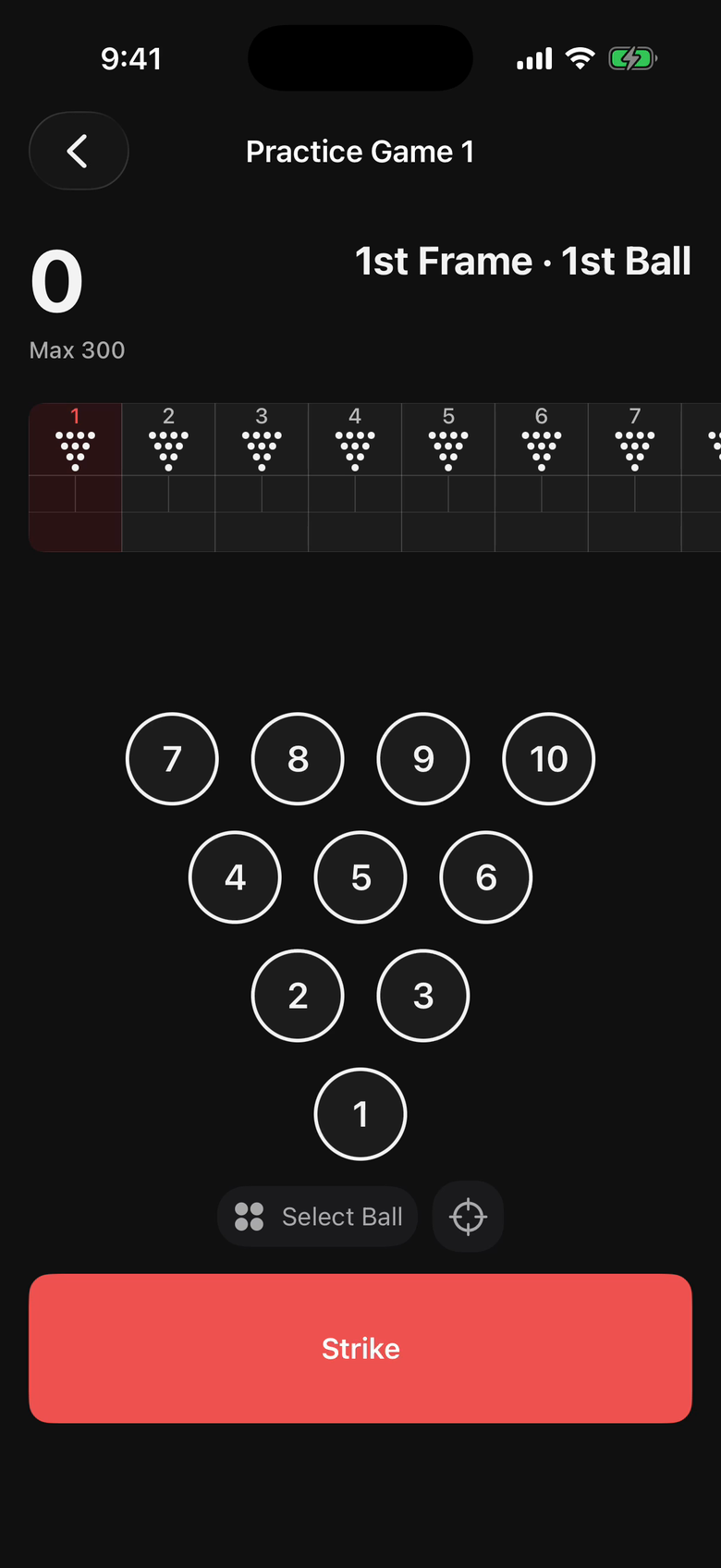
Your scoresheet will update as you go with your max score and running total. As you record more games, your strike and spare conversion rates will display as you go as well.
Recording scores from your Apple Watch
If you wear an Apple Watch, you can install the companion Apple Watch app and tap to record your scores from your watch as well.
The watch shows the frame, the pins, and any targeting or spare reminders you have set. Recording works the same as on your phone or tablet, and you can alternate recording scores from either device depending on your preference.
Bringing in your League scores
If your league posts scores online, Advanced Bowling Tracker may be able to import your past scores automatically.
Simply go through the set up wizard, find your leagues and your name, and import as needed. Note that this will only be your totals, not your frame by frame results.
Saving your scores when you are done bowling
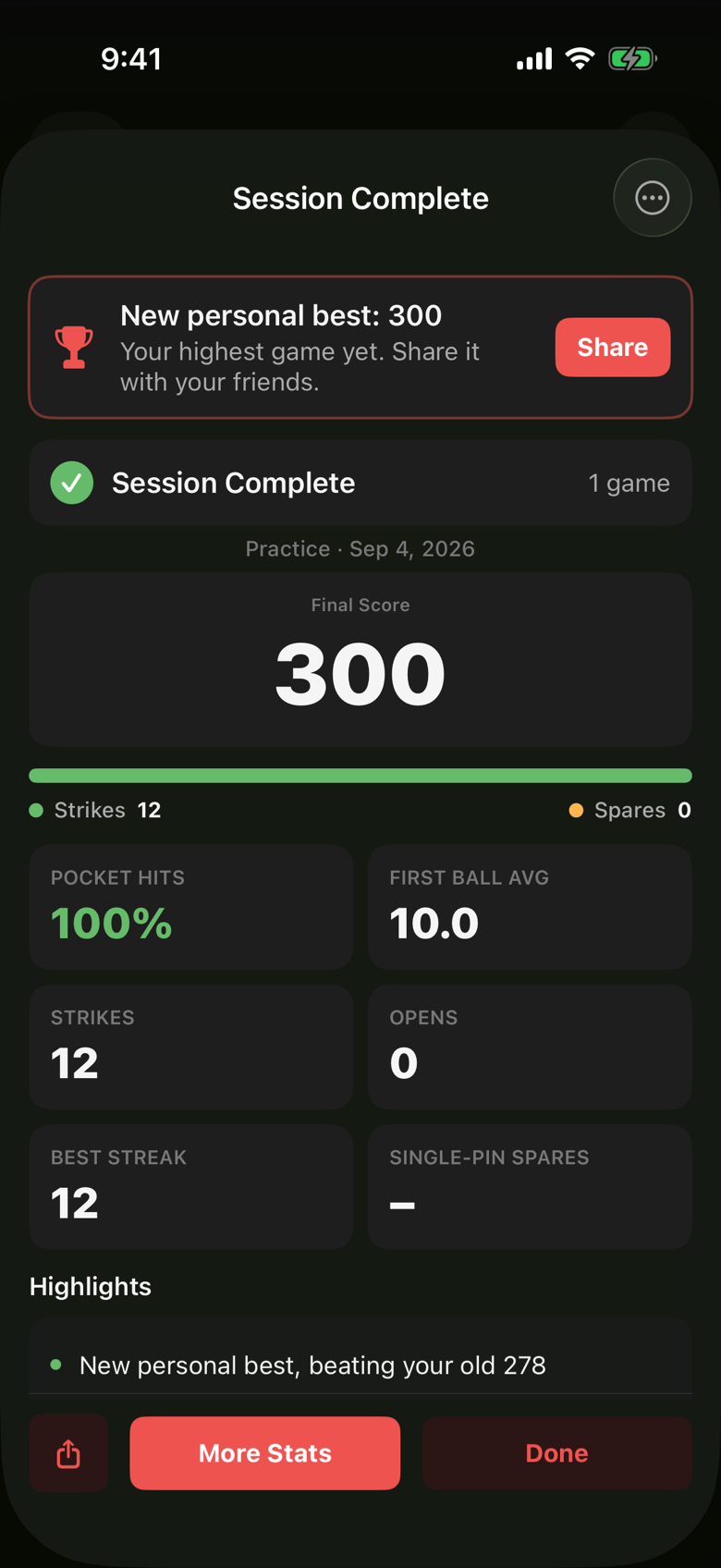
Tap End Session whenever you are done bowling and the app shows you a summary of how you did with some key stats and highlights. Your results flow into your overall stats, which you can view from the Stats tab.
FAQ
Is frame by frame scoring free?
The free tier includes 15 frame by frame games a month and unlimited recording of score only games. The paid Pro tier removes the limit.
Can I track a no-tap game or league?
Yes. Toggle 9-Pin No-Tap in session options and score recording will track your game as 9-pin no tap. Stats for no-tap games are kept separately from other scoring modes, since scores are inflated.
What if I bowl on two lanes?
For league play, this is assumed. When practicing, turn on the Cross Lane option when you start bowling. The app tracks the pair and, if you use targeting reminders, can even help you keep a separate target for each lane.
Do I have to be online?
No. Scoring works offline and syncs when you have a connection. Live sharing and imports require an internet connection.